
The Video section demonstrates how Virtual Keypad delivers an integrated video experience that combines live visibility, event awareness, alarm verification, access control interaction, automation, and operational response inside a single platform.
The goal is not simply to demonstrate cameras.
The goal is to demonstrate how video becomes part of a unified security and operational workflow.
Core Video Experience
This section introduces the foundational video experience available in Virtual Keypad.
The progression intentionally starts simple:
-
live video
-
clips
-
notifications
-
interaction workflows
before introducing analytics, AlarmVision, and advanced video management.
VUE Video Doorbell
The VUE Video Doorbell demonstrates how video becomes an interactive part of the customer’s daily workflow.
This is not just a camera.
It combines:
-
live visibility
-
communication
-
security control
-
access interaction
-
automation
-
remote convenience
inside a single experience.
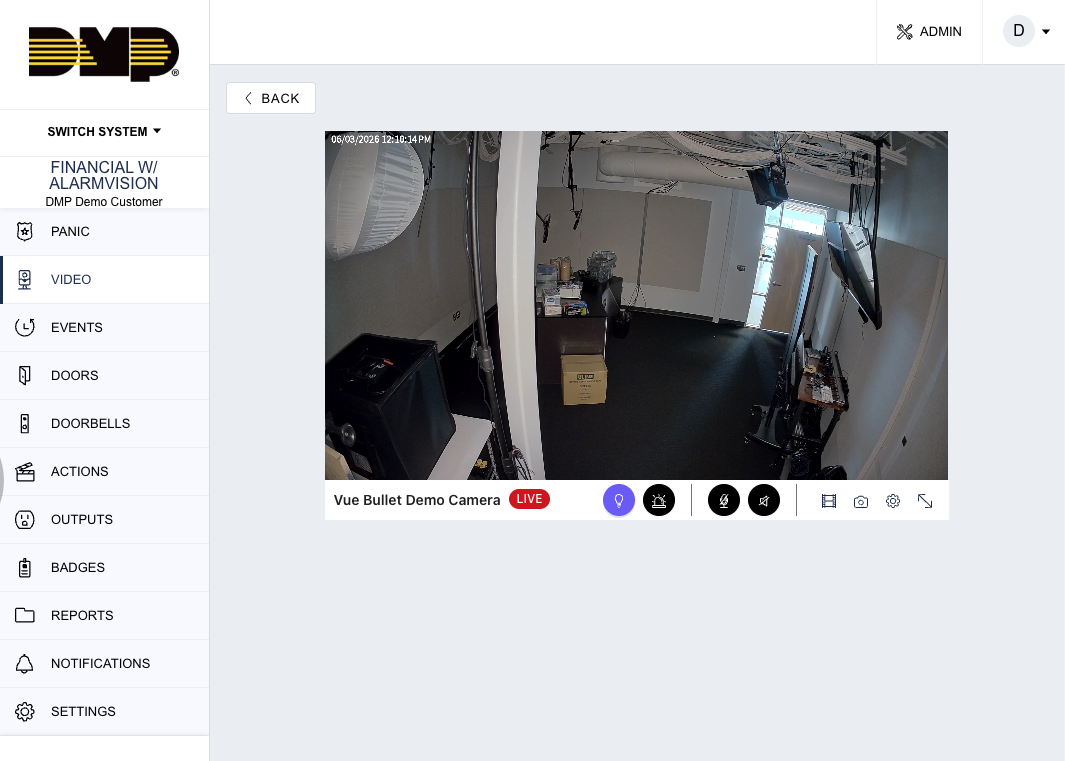
Viewing Live Video
Presenter Talk Track
“The VUE Video Doorbell gives customers immediate visibility into who is at their door from anywhere using Virtual Keypad.”
Demo Steps
-
Open Video
-
Select the VUE Video Doorbell
-
Open live view
-
Show full-screen view if available
-
Discuss remote awareness workflows
Customer Value
-
Remote awareness
-
Visitor visibility
-
Delivery monitoring
-
Operational convenience
Dealer Positioning Guidance
Position this for:
-
residential customers
-
small businesses
-
retail back doors
-
delivery entrances
-
unattended receiving areas
Events & Clips
Presenter Talk Track
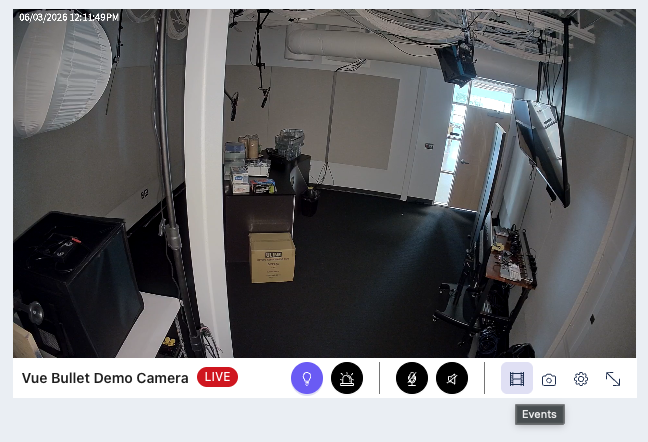
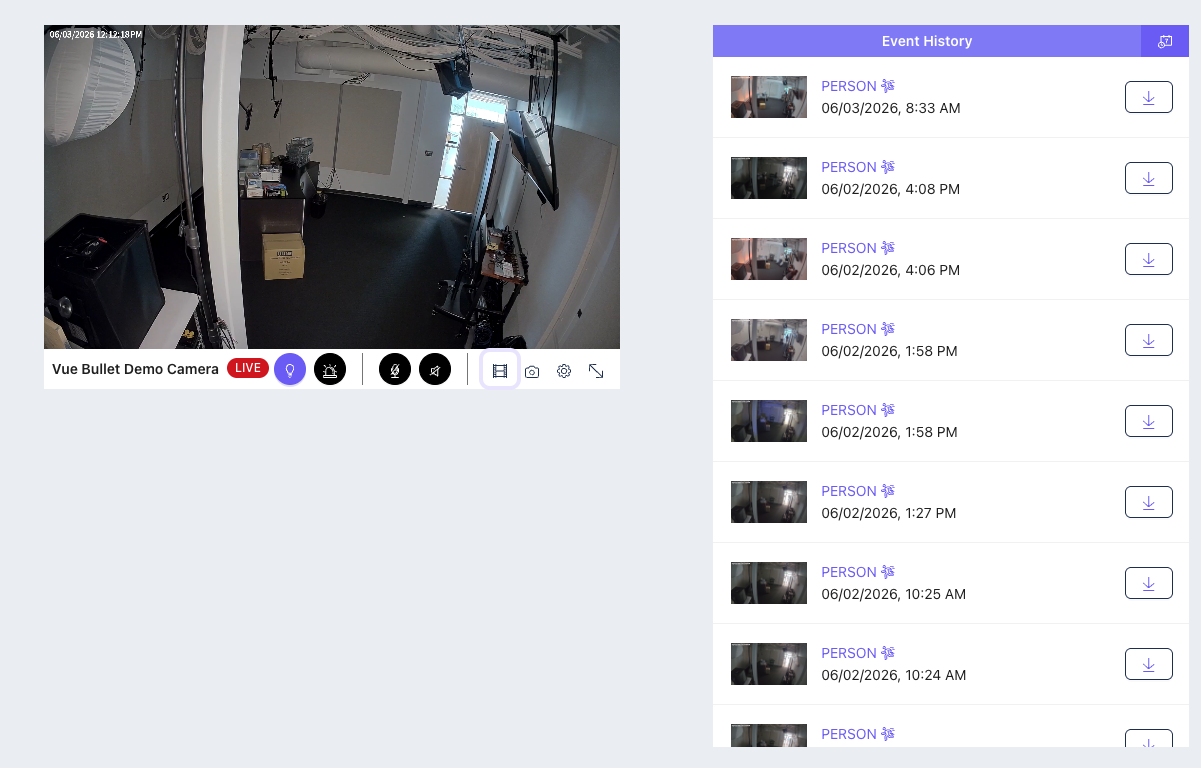
“Customers can quickly review doorbell activity without needing to search through hours of footage.”
Demo Steps
-
Open Events
-
Review recorded clips
-
Show recent detections
-
Open clip playback
Key Talking Points
-
Faster event review
-
Simplified investigations
-
Immediate operational awareness
Two-Way Audio
Presenter Talk Track
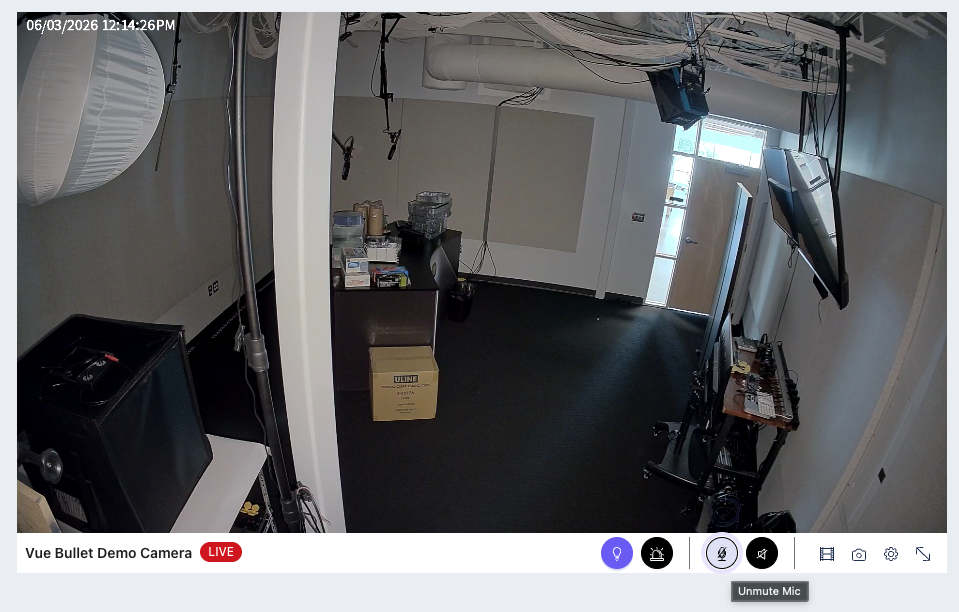
“Customers can interact directly with visitors from Virtual Keypad without needing to be onsite.”
Demo Steps
-
Open live view
-
Enable microphone
-
Demonstrate two-way communication
Customer Value
-
Remote communication
-
Delivery interaction
-
Visitor management
-
Convenience
Arm/Disarm from Live View
Presenter Talk Track
“One of the biggest differentiators is that the video experience is integrated directly into the security system.”
Demo Steps
-
Open live video
-
Show arm/disarm controls
-
Arm or disarm the system from live view
Customer Conversation
“I see someone outside. I want to confirm my system is armed without leaving the video screen.”
DMP Positioning Guidance
This demonstrates:
-
unified security workflows
-
intrusion + video integration
-
operational convenience
Access Door from Live View
Presenter Talk Track
“Virtual Keypad combines access control and video into a single operational workflow.”
Demo Steps
-
Open live doorbell view
-
Show associated door icon
-
Momentarily unlock the door
Customer Use Cases
-
delivery entrances
-
unattended receiving doors
-
employee entrances
-
remote visitor management
Dealer Positioning Guidance
This is a strong commercial differentiator because customers can:
-
see who is present
-
verify activity
-
grant access remotely
without changing applications.
Trigger Favorites from Live View
Presenter Talk Track
“Video can also become part of broader automation and convenience workflows.”
Demo Steps
-
Open live view
-
Trigger a favorite
-
Demonstrate connected automation
Examples
-
turn on porch lights
-
activate perimeter lighting
-
unlock doors
-
activate automation scenes
Push Notifications
Presenter Talk Track
“Customers can decide which events matter most to them.”
Demo Steps
-
Open notification settings
-
Show configurable event types
-
Demonstrate notification categories
Key Talking Points
-
rings
-
package detection
-
person detection
-
vehicle detection
Customer Value
Relevant notifications without overwhelming users.
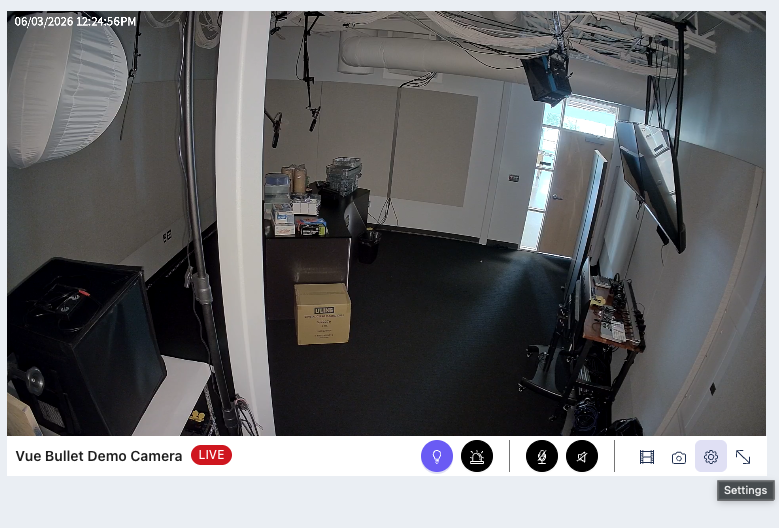
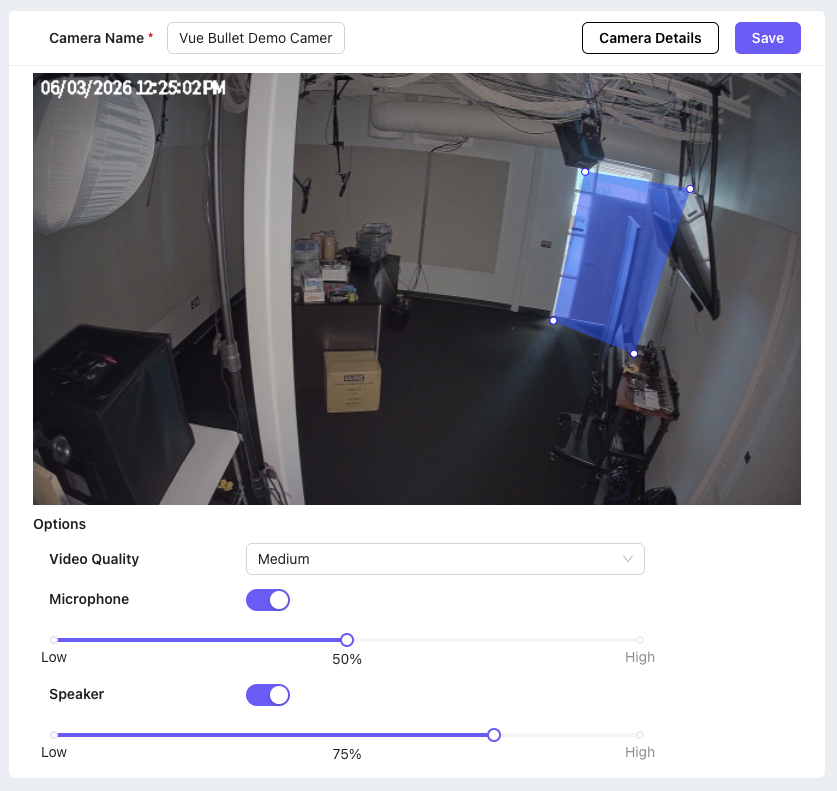
Settings & Detection Regions
Presenter Talk Track
“Customers and dealers can customize how the doorbell behaves for the environment.”
Demo Steps
-
Open camera settings
-
Show detection regions
-
Adjust analytics area
-
Save changes
Dealer Positioning Guidance
Dealers can remotely assist customers using Dealer Admin for:
-
analytics adjustments
-
audio settings
-
troubleshooting
-
region optimization
VUE Cameras
VUE Cameras expand the video experience into everyday commercial deployments.
This section focuses on:
-
operational visibility
-
deterrence
-
awareness
-
simplified event review
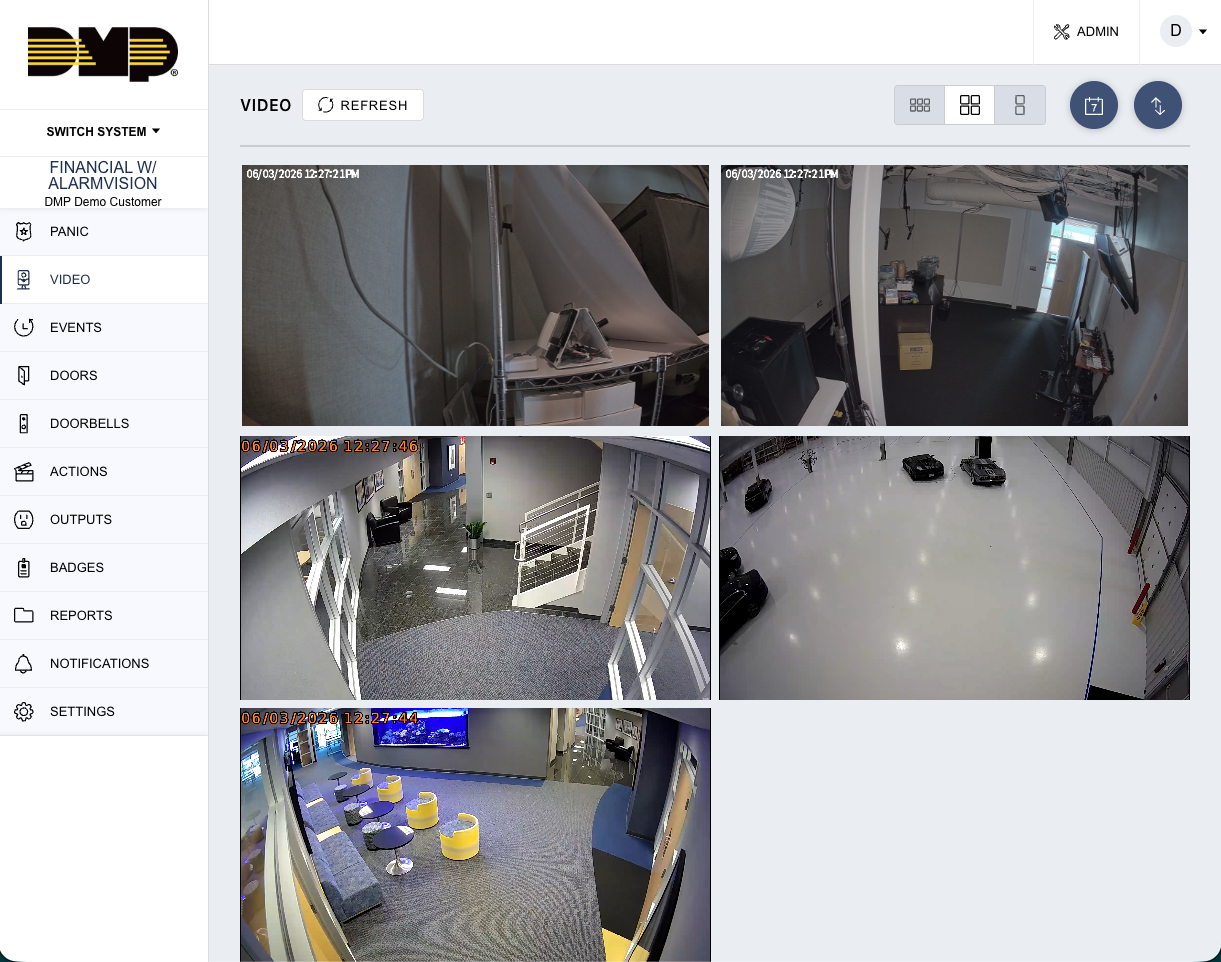
Viewing Live Video
Presenter Talk Track
“Customers can quickly view live activity across their property directly from Virtual Keypad.”
Demo Steps
-
Open Video
-
Display multiple cameras
-
Open individual live streams
-
Change layouts if available
Events & Clips
Presenter Talk Track
“Instead of searching through large amounts of footage, customers can quickly review event-based clips.”
Demo Steps
-
Open event clips
-
Review person or vehicle events
-
Navigate clip history
Key Talking Points
-
cloud-based clips
-
quick event review
-
operational simplicity
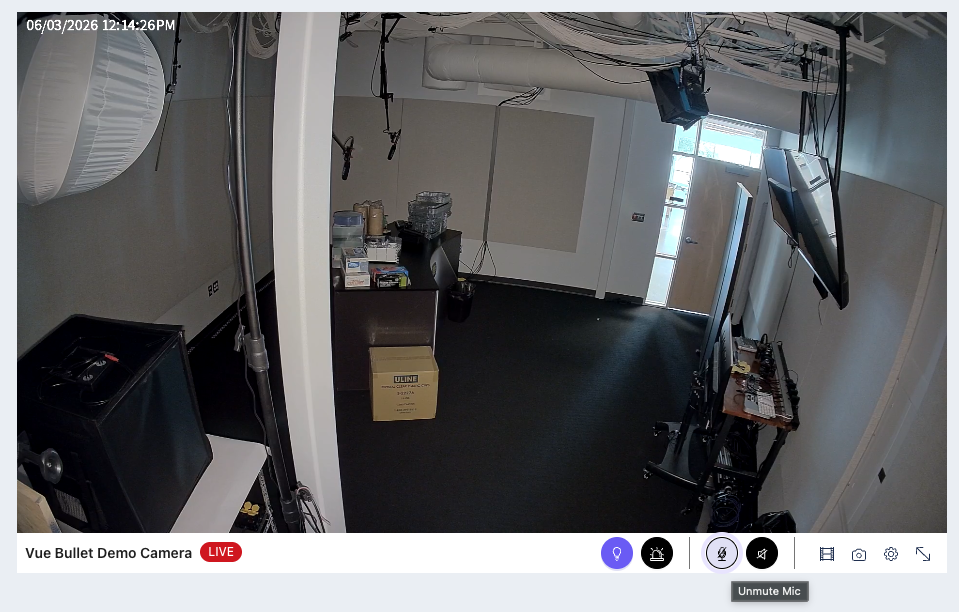
Two-Way Audio
Presenter Talk Track
“Audio interaction expands cameras beyond passive monitoring.”
Demo Steps
-
Open live camera
-
Enable two-way audio
-
Demonstrate communication workflow
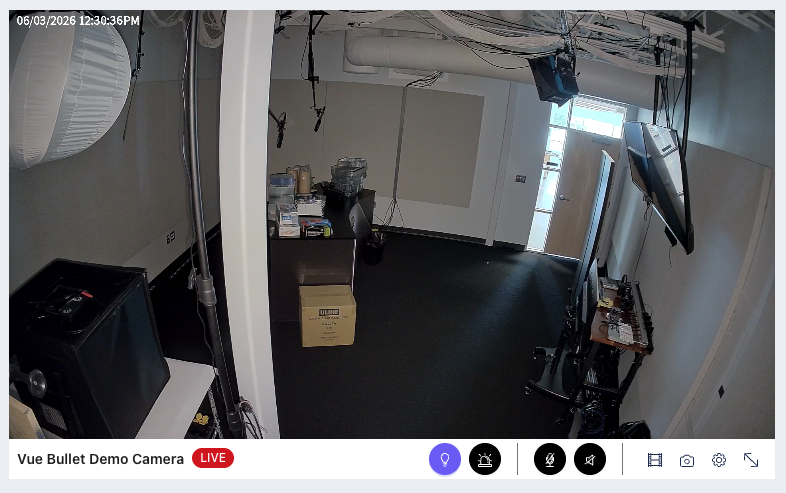
Lights & Deterrence
Presenter Talk Track
“These cameras support active deterrence workflows, not just passive surveillance.”
Demo Steps
-
Open deterrence settings
-
Trigger lights
-
Show configurable schedules
-
Demonstrate active deterrence workflow
Customer Use Cases
-
parking lots
-
loading docks
-
fenced equipment areas
-
after-hours monitoring
Customer Value
-
increased awareness
-
visible deterrence
-
proactive response
DMP Positioning Guidance
Position as:
-
operational deterrence
-
proactive visibility
-
integrated response
Avoid over-positioning as advanced autonomous threat prevention.
Push Notifications
Presenter Talk Track
“The goal is to provide meaningful notifications instead of overwhelming the customer.”
Key Talking Points
-
configurable alerts
-
actionable notifications
-
operational awareness
-
reduced notification fatigue
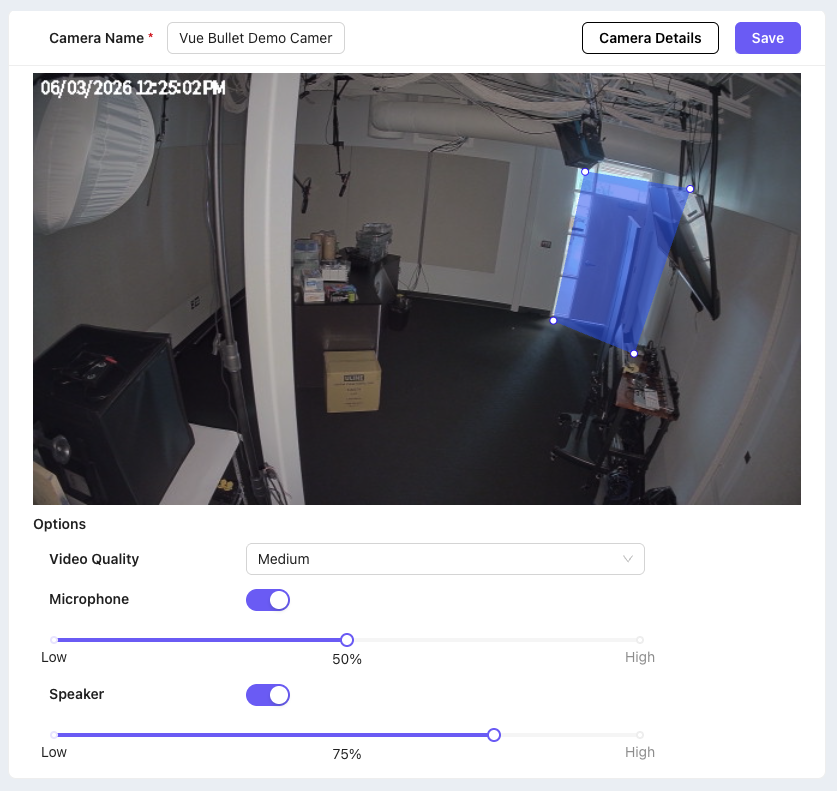
Camera Settings
Demo Steps
-
Open camera settings
-
Show detection configuration
-
Adjust sensitivity
-
Save changes
VUE Plus Cameras
VUE Plus Cameras represent the expansion of the DMP video platform into more advanced commercial video deployments.
These cameras introduce:
-
expanded camera models
-
higher resolution
-
panoramic coverage
-
fisheye deployments
-
de-warping workflows
VUE Plus Camera Family Overview
Presenter Talk Track
“The VUE Plus lineup expands deployment flexibility while maintaining the same integrated Virtual Keypad experience.”
Camera Types
-
8MP Bullet
-
8MP Turret
-
8MP Dome
-
Mini Dome
-
Panoramic Cameras
-
Fisheye Cameras
Viewing Live Video
Presenter Talk Track
“Customers can quickly view live activity across their property directly from Virtual Keypad.”
Demo Steps
-
Open VUE Plus live streams
-
Demonstrate image quality
-
Show panoramic coverage
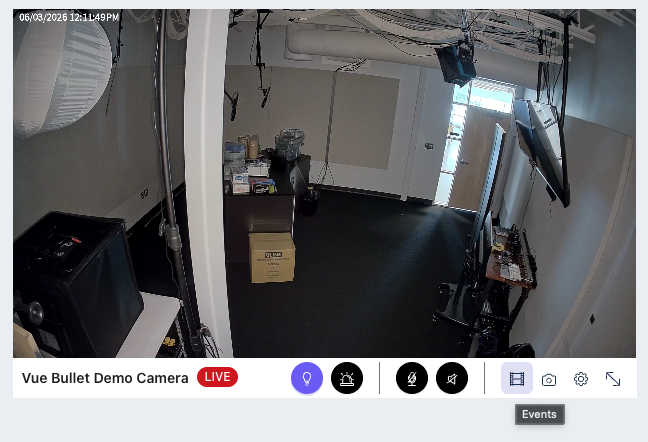
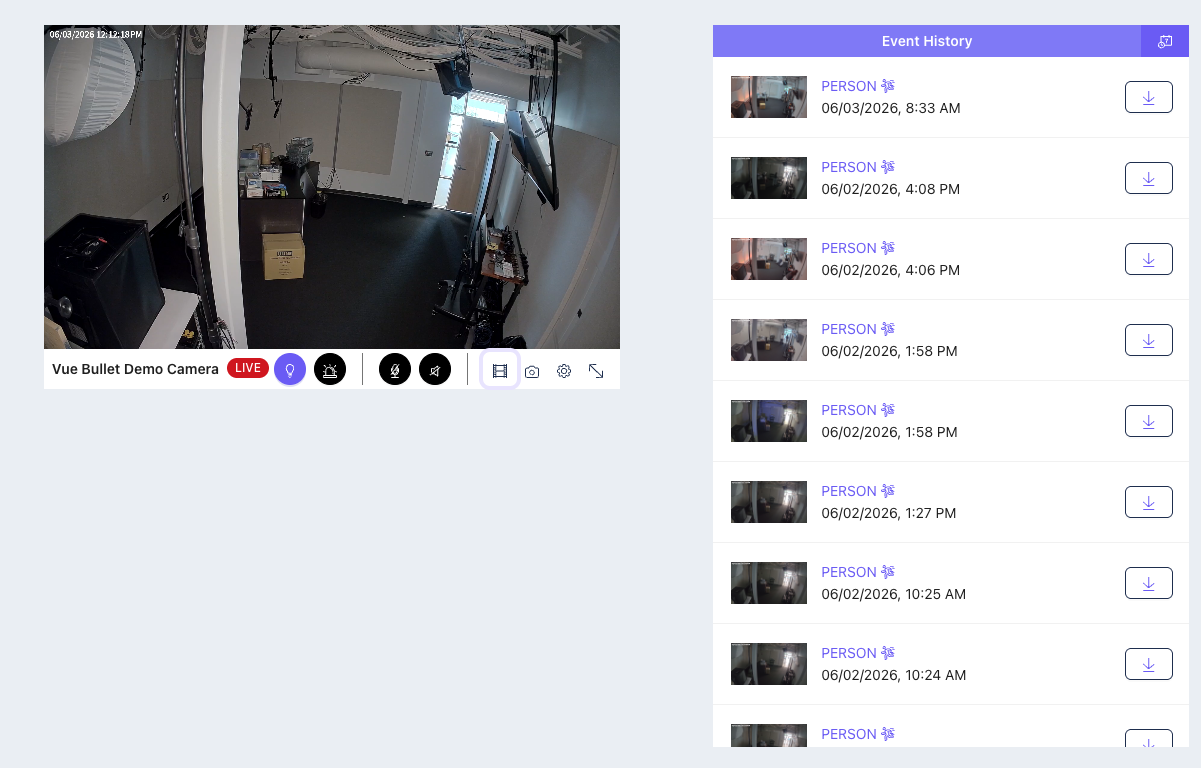
Events & Clips
Presenter Talk Track
“Instead of searching through large amounts of footage, customers can quickly review event-based clips.”
Demo Steps
-
Open event clips
-
Review person or vehicle events
-
Navigate clip history
Key Talking Points
-
cloud-based clips
-
quick event review
-
operational simplicity
Two-Way Audio
Presenter Talk Track
“Audio interaction expands cameras beyond passive monitoring.”
Demo Steps
-
Open live camera
-
Enable two-way audio
-
Demonstrate communication workflow
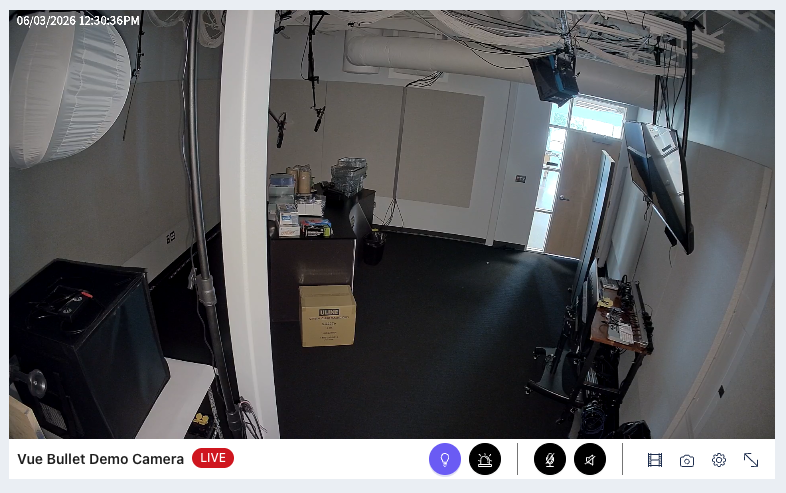
Lights & Deterrence
Presenter Talk Track
“These cameras support active deterrence workflows, not just passive surveillance.”
Demo Steps
-
Open deterrence settings
-
Trigger lights
-
Show configurable schedules
-
Demonstrate active deterrence workflow
Customer Use Cases
-
parking lots
-
loading docks
-
fenced equipment areas
-
after-hours monitoring
Customer Value
-
increased awareness
-
visible deterrence
-
proactive response
DMP Positioning Guidance
Position as:
-
operational deterrence
-
proactive visibility
-
integrated response
Avoid over-positioning as advanced autonomous threat prevention.
Push Notifications
Presenter Talk Track
“The goal is to provide meaningful notifications instead of overwhelming the customer.”
Key Talking Points
-
configurable alerts
-
actionable notifications
-
operational awareness
-
reduced notification fatigue
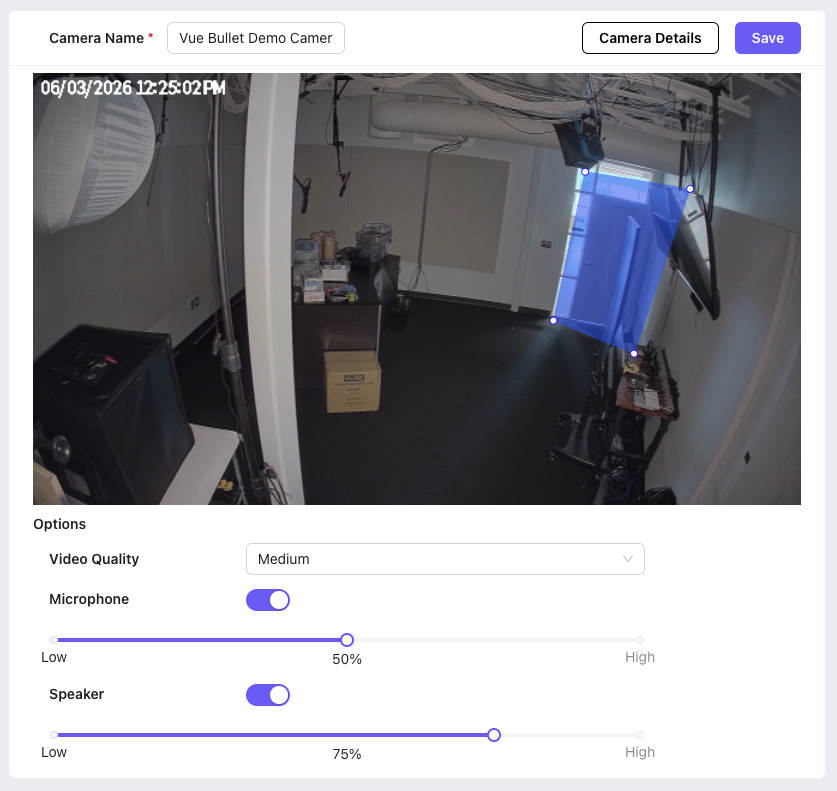
Camera Settings
Demo Steps
-
Open camera settings
-
Show detection configuration
-
Adjust sensitivity
-
Save changes
Integrated Security Workflows
This section demonstrates how video becomes part of broader security operations.
This is a major DMP differentiator.
The goal is not simply viewing cameras.
The goal is combining:
-
intrusion
-
access
-
automation
-
notifications
-
verification
-
operational response
inside a single workflow.
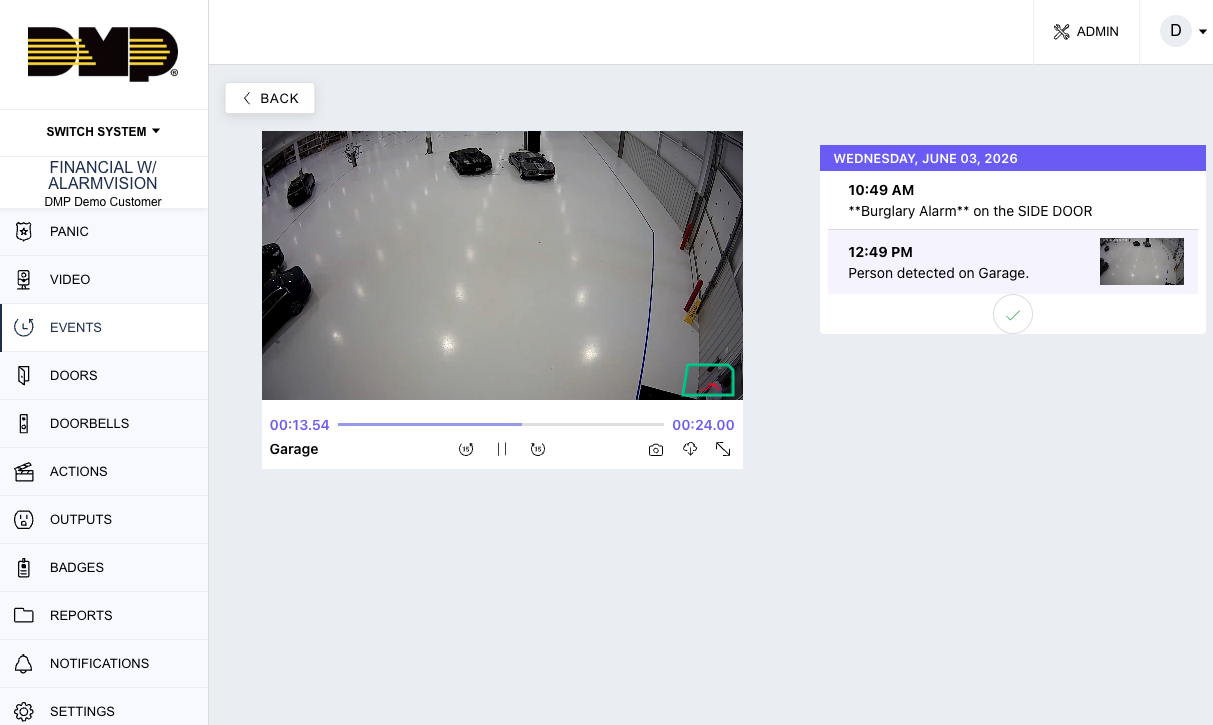
Video + Intrusion
Alarm Verification
Presenter Talk Track
“When alarms occur, customers need immediate context to make informed decisions.”
Demo Steps
-
Trigger or simulate alarm
-
Open associated video
-
Review clip
-
Demonstrate verification workflow
Customer Value
-
faster response
-
reduced uncertainty
-
improved operational awareness
False Alarm Question
Presenter Talk Track
“Virtual Keypad helps customers determine whether an event appears legitimate before responding.”
Demo Steps
-
Open alarm event
-
Show verification screen
-
Demonstrate false alarm response
DMP Positioning Guidance
Position as:
-
improved verification
-
enhanced operational response
-
customer-assisted alarm handling
Avoid guaranteeing false dispatch reduction percentages.
Event-to-Video Workflows
Presenter Talk Track
“Customers can move directly from an alarm or event into the associated video clip.”
Demo Steps
-
Open Events
-
Select alarm
-
Open associated clip
-
Demonstrate linked workflow
Key Talking Points
-
unified workflow
-
reduced investigation time
-
simplified operator experience
Video + Access Control
Unlocking Doors from Video
Verifying Access Events
Viewing Video from Door Activity
Video + Automation
Triggering Favorites from Video
Video Actions & Responses
Notification Workflows
Axis Cam-Connect
Axis Cam-Connect expands interoperability and takeover opportunities by integrating supported third-party camera platforms into Virtual Keypad and AlarmVision workflows.
Axis Integration Overview
Presenter Talk Track
“Axis Cam-Connect allows supported third-party cameras to participate in Virtual Keypad and AlarmVision workflows.”
Key Talking Points
-
unified experience
-
leverage existing camera deployments
-
enhanced integration flexibility
Viewing Live Video
Presenter Talk Track
“Customers can quickly view live activity across their property directly from Virtual Keypad.”
Demo Steps
-
Open Axis Cam-Connect live streams
-
Demonstrate image quality
-
Show panoramic coverage
Events & Clips
Presenter Talk Track
“Instead of searching through large amounts of footage, customers can quickly review event-based clips.”
Demo Steps
-
Open event clips
-
Review person or vehicle events
-
Navigate clip history
Key Talking Points
-
cloud-based clips
-
quick event review
-
operational simplicity
Push Notifications
Presenter Talk Track
“The goal is to provide meaningful notifications instead of overwhelming the customer.”
Key Talking Points
-
configurable alerts
-
actionable notifications
-
operational awareness
-
reduced notification fatigue
XV Gateway Platform
XV Gateway expands video deployments into advanced analytics, unified event handling, and integrated AlarmVision workflows.
XV Gateway Overview
Presenter Talk Track
“XV Gateway allows customers to integrate compatible ONVIF cameras into advanced analytics and AlarmVision workflows.”
Key Talking Points
-
ONVIF camera support
-
analytics at the edge
-
integrated intrusion workflows
-
takeover opportunities
Timeline View
Presenter Talk Track
“Customers can move beyond event clips into timeline-based video review.”
Demo Steps
-
Open timeline view
-
Scrub recordings
-
Zoom timeline
-
Review recorded events
Key Talking Points
-
faster investigations
-
flexible playback
-
simplified navigation
Downloading Footage
Demo Steps
-
Select export range
-
Download footage
-
Review export workflow
AlarmVision Overview
Presenter Talk Track
“AlarmVision combines analytics and intrusion workflows to turn cameras into intelligent detection devices.”
Key Talking Points
-
analytics-driven intrusion
-
reduced dependence on traditional motion detectors
-
integrated operational workflows
Detection Regions
Detection Lines
Area-Based Analytics
Presenter Talk Track
“One of the biggest advantages of AlarmVision is that analytics respond to the armed state of the intrusion system.”
Demo Steps
-
Show disarmed area
-
Demonstrate inactive analytics
-
Arm area
-
Trigger analytic event
Key Talking Points
-
reduced unwanted alerts
-
meaningful notifications
-
operational intelligence
Escalation Workflows
Presenter Talk Track
“AlarmVision supports layered responses instead of immediately escalating every event into an alarm.”
Examples
-
warning lights
-
prerecorded audio
-
notifications
-
alarms
-
monitoring center escalation
Monitoring Center Video Verification
Presenter Talk Track
“Monitoring centers can use video context to better understand alarm activity.”
Demo Steps
-
Trigger alarm
-
Open monitoring workflow
-
Review associated clips
-
Demonstrate verification tools
XV Plus Gateway
XV Plus Gateway represents the future expansion of advanced video management capabilities.
IMPORTANT:
This section should be clearly identified as:
-
Beta
-
Controlled Release
-
Planned Expansion
-
Upcoming Capability
Do not present unreleased functionality as generally available.
Key Video Positioning Themes
The following themes should be consistently reinforced throughout all video demonstrations and dealer conversations:
Unified Platform
-
one login
-
one app
-
one operational workflow
Integrated Security
-
intrusion + access + video together
Operational Awareness
-
meaningful alerts
-
actionable visibility
-
event context
Simplified Workflows
-
easier investigations
-
faster response
-
reduced operational complexity
Verification
-
visual confirmation
-
alarm context
-
informed decision making
Proactive Response
-
deterrence
-
escalation workflows
-
layered response
Flexible Deployment
-
cloud
-
ONVIF
-
takeover opportunities
-
hybrid deployments
Important Competitive Positioning Guidance
Position As
-
integrated security operations
-
unified customer experience
-
operational awareness
-
intelligent event workflows
-
intrusion enhancement
-
simplified investigations
Avoid Positioning As
-
enterprise forensic VMS replacement
-
military-grade analytics
-
autonomous AI security platform
-
advanced forensic surveillance platform
The strength of the DMP video ecosystem is integration, operational simplicity, and unified workflows.