
This section demonstrates how Virtual Keypad allows customers to remotely manage doors, users, credentials, and access activity from a unified platform.
The goal is not simply to unlock doors.
The goal is to provide customers with operational control, visibility, and awareness over who can access their environment, when they can access it, and how access activity connects to broader security workflows.
Presenter Talk Track
“Access control inside Virtual Keypad allows customers to remotely manage and monitor their environment from virtually anywhere.
Authorized users can:
-
lock and unlock doors
-
manage users and credentials
-
review access activity
-
respond to events
-
and oversee multiple locations
from a single application.
The value is not simply remote door control.
The value is creating a connected operational workflow that combines access management, security awareness, video verification, notifications, and user management into one unified platform.”
Demo Flow
Demo Steps
-
Open Doors.
-
Review current door status.
-
Lock and unlock a door.
-
Demonstrate temporary unlock or access grant if available.
-
Review access-related events.
-
Open Users or Credentials.
-
Review user permissions or profiles.
-
Demonstrate integrated workflows with video or notifications if configured.
Core Access Control Experience
This section introduces the foundational access control workflows available in Virtual Keypad.
The progression should move through:
-
door management
-
operational awareness
-
user management
-
credential management
-
access visibility
-
event review
-
integrated workflows
before expanding into enterprise management and multi-site operations.
Door Management
Presenter Talk Track
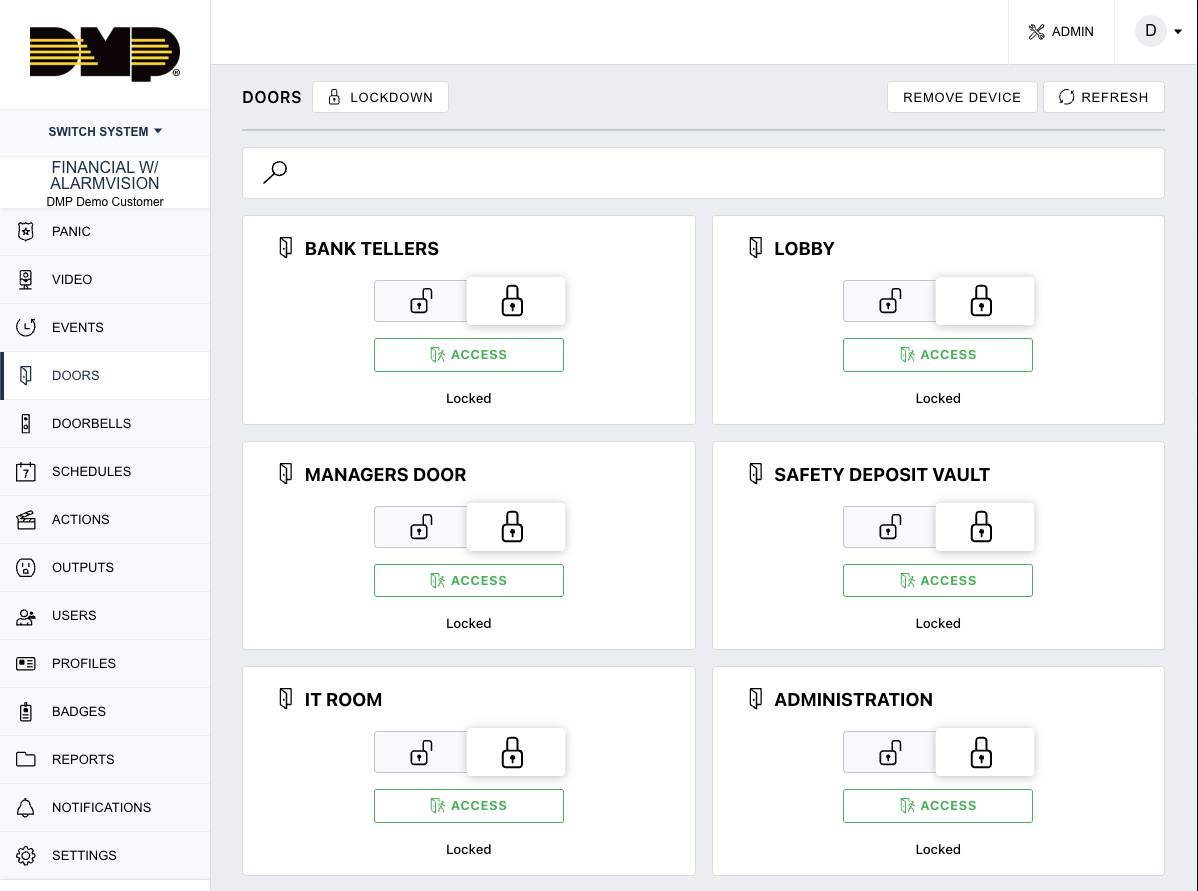
“Virtual Keypad allows authorized users to remotely manage doors and quickly respond to operational needs without being physically onsite.”
Demo Steps
-
Open Doors.
-
Review door status.
-
Lock a door.
-
Unlock a door.
-
Demonstrate temporary access if available.
.png?cb=de1c8f688f62c43e410ae6e43555a927)
Customer Use Cases
-
employee entrances
-
delivery doors
-
after-hours access
-
remote visitor management
-
multi-site operations
Customer Value
-
remote operational control
-
simplified workflows
-
faster response
-
improved security awareness
Access Activity & Events
Presenter Talk Track
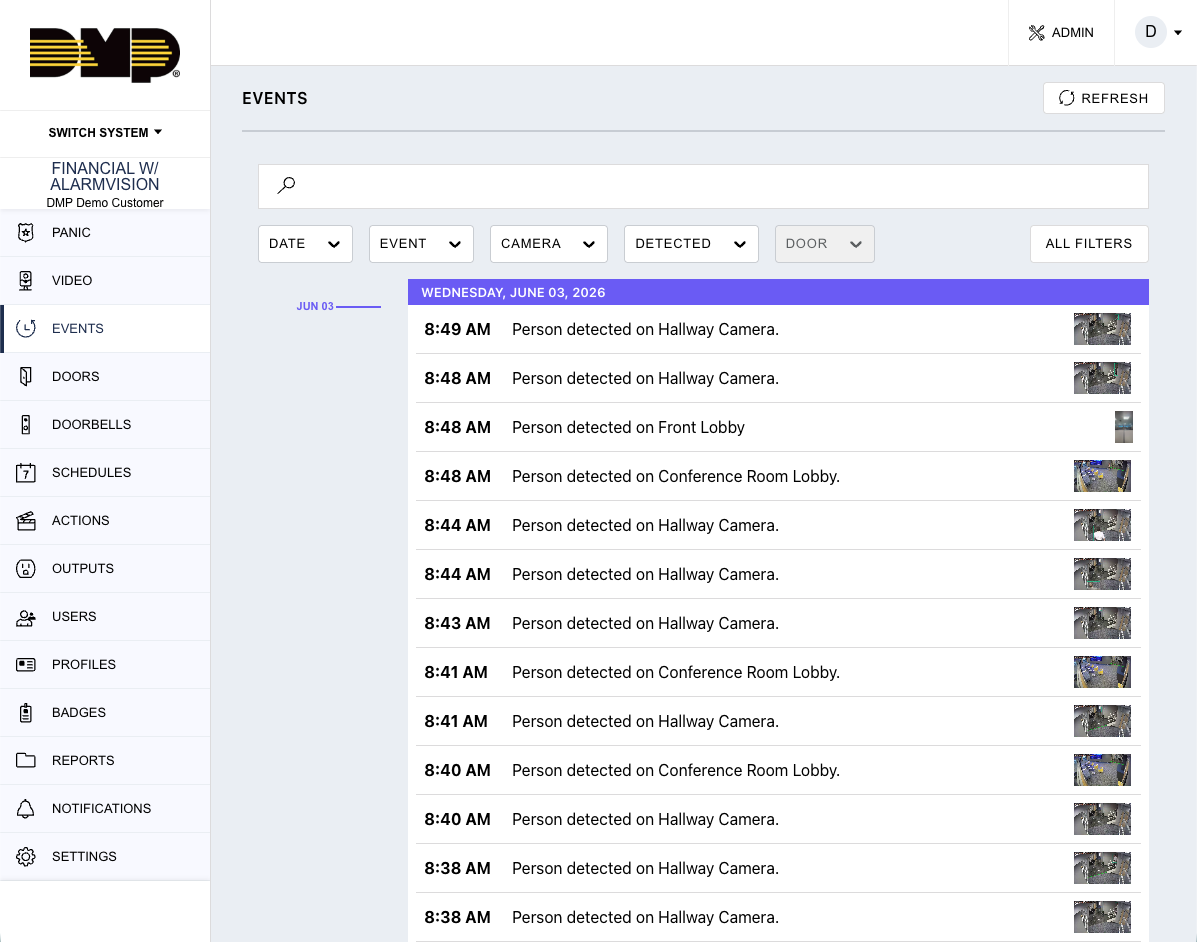
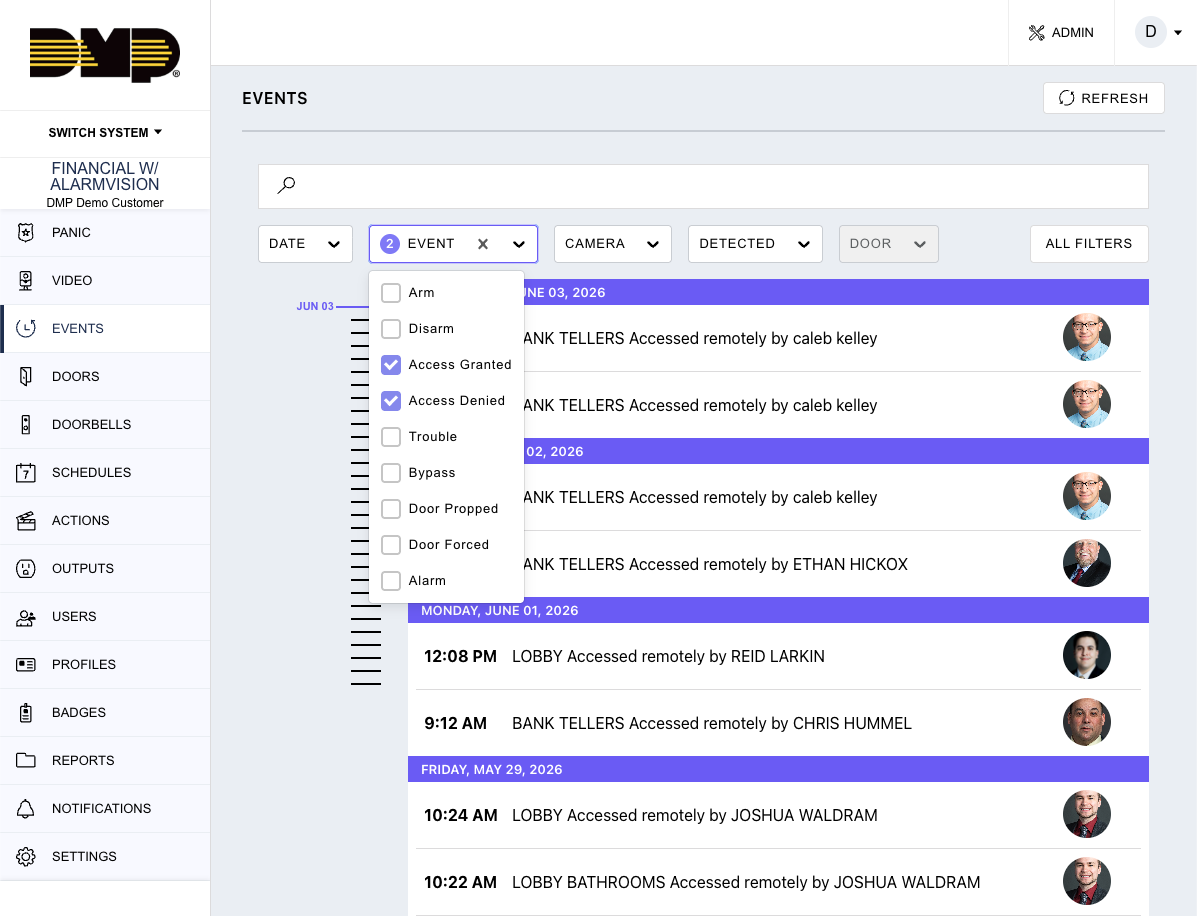
“Customers can quickly review access-related activity and understand who entered, when access occurred, and whether events were granted or denied.”
Demo Steps
-
Open Events.
-
Filter access-related activity.
-
Review granted access events.
-
Review denied access events.
-
Open associated workflows if configured.
Key Talking Points
-
operational accountability
-
event awareness
-
simplified investigations
-
centralized visibility
Customer Value
-
faster investigations
-
improved awareness
-
easier operational oversight
User & Credential Management
Presenter Talk Track
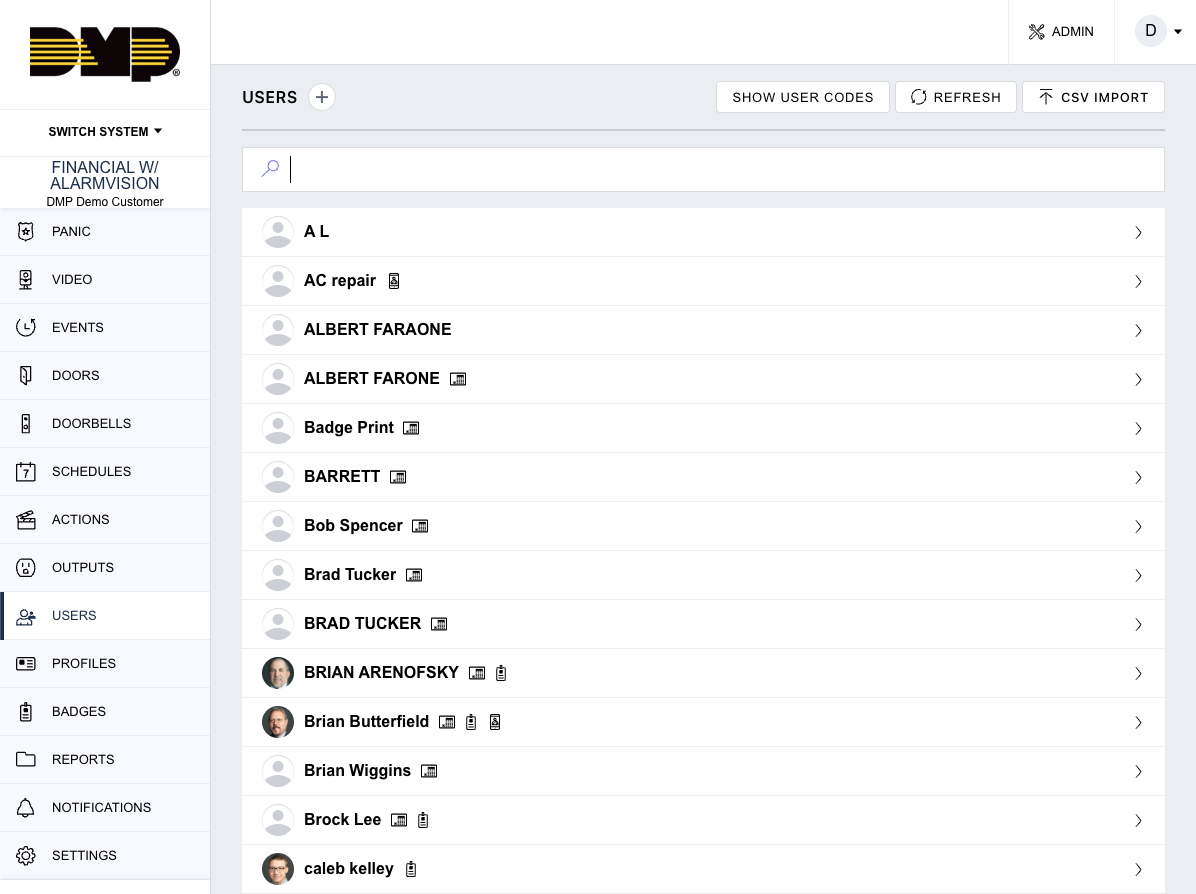
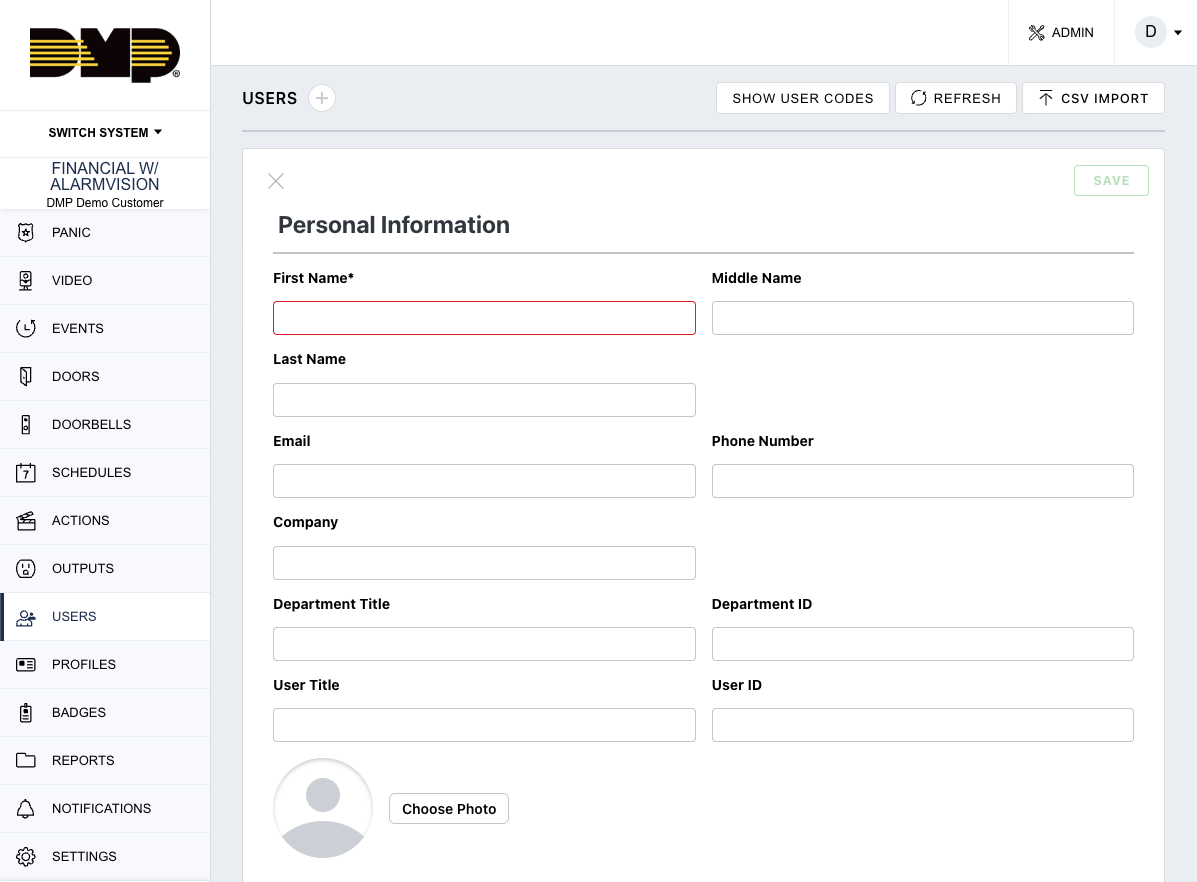
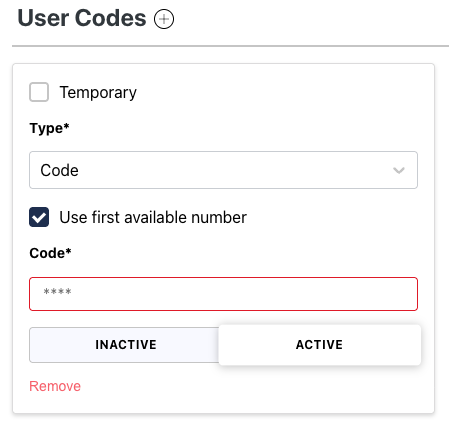
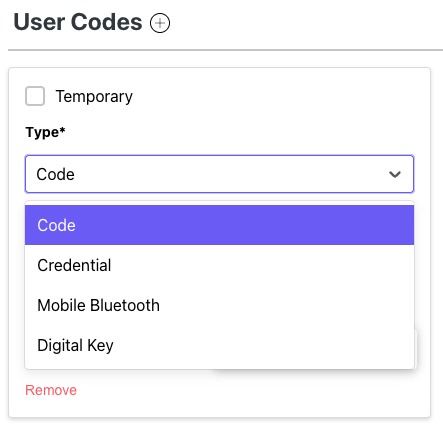
“Virtual Keypad allows authorized administrators to manage users, credentials, and permissions remotely.”
Demo Steps
-
Open Users.
-
Review existing users.
-
Show credentials or access permissions.
-
Demonstrate adding or editing a user if appropriate.
-
Review profiles or groups if configured.
Customer Use Cases
-
employee onboarding
-
role changes
-
temporary workers
-
contractors
-
employee offboarding
Customer Value
-
simplified user management
-
operational flexibility
-
centralized administration
-
improved consistency
Lockdown & Emergency Response
Presenter Talk Track
“For organizations with higher security requirements, Virtual Keypad supports rapid response workflows such as lockdown and controlled access management.”
Demo Steps
-
Review lockdown functionality if configured.
-
Explain operational workflows.
-
Discuss emergency response scenarios.
-
Explain authorized usage.
Customer Use Cases
-
schools
-
offices
-
churches
-
retail
-
government facilities
Customer Value
-
faster response
-
improved safety workflows
-
centralized operational control
Integrated Security Workflows
Presenter Talk Track
“One of the biggest differentiators of Virtual Keypad is that access control operates as part of a broader connected security environment.”
Access + Video
-
verify door activity
-
review associated video
-
remote visitor management
-
visual verification workflows
Access + Intrusion
-
secured area management
-
restricted area protection
-
alarm-linked access activity
-
operational awareness
Access + Notifications
-
granted and denied access alerts
-
door held open notifications
-
operational escalation workflows
Access + Automation
-
scheduled locking workflows
-
automated operational actions
-
integrated building response
Key Themes
Operational Control
Customers maintain visibility and control over their environment.
Unified Security
Access workflows integrate with intrusion, video, notifications, and automation.
Simplified Management
Doors, users, and credentials can be managed from a single platform.
Operational Awareness
Customers can quickly understand who accessed the environment and when.
Scalable Experience
The platform supports:
-
single-site systems
-
enterprise deployments
-
high-security facilities
-
multi-site organizations
Important Competitive Positioning Guidance
Position As
-
unified access management
-
operational awareness
-
integrated workflows
-
simplified administration
-
remote operational control
Avoid Positioning As
-
enterprise identity management replacement
-
autonomous building control platform
-
advanced biometric identity platform
-
enterprise HR system replacement
Key Message
Virtual Keypad transforms access control into a connected operational workflow that combines visibility, user management, event awareness, and integrated security response from a single unified platform.