
This section demonstrates how Virtual Keypad allows customers to automate operational workflows, simplify routine tasks, and create connected responses across intrusion, access control, video, lighting, outputs, and environmental controls.
The goal is not simply to automate devices.
The goal is to help customers create smarter, more consistent operational workflows that improve efficiency, awareness, convenience, and security response across their environment.
Automation inside Virtual Keypad helps transform security systems from reactive tools into connected operational platforms.
Automation Overview
Automation inside Virtual Keypad focuses on:
-
operational efficiency
-
workflow consistency
-
connected system response
-
environmental control
-
scheduled operations
-
event-driven actions
-
simplified daily management
Rather than requiring users to manually perform repetitive tasks, Virtual Keypad allows systems to automatically respond to schedules, events, alarms, access activity, and operational conditions.
Presenter Talk Track
“Automation inside Virtual Keypad allows customers to create connected workflows that simplify everyday operations and improve overall security management.
Customers can:
-
automate routine tasks
-
create scheduled actions
-
trigger operational responses
-
activate multiple devices together
-
and build connected workflows across intrusion, access control, video, and environmental controls
from a single platform.
The value is not simply convenience.
The value is operational consistency and connected system response.”
Core Automation Experience
This section introduces the foundational automation workflows available in Virtual Keypad.
The progression should move through:
-
favorites
-
scheduled workflows
-
event-driven actions
-
environmental control
-
operational automation
-
connected security response
before expanding into integrated workflows across the broader security environment.
Favorites
Presenter Talk Track
“Favorites allow customers to combine multiple actions into a single operational workflow.”
Demo Steps
-
Open Favorites.
-
Review existing favorites.
-
Activate a favorite.
-
Show included devices or actions.
-
Explain how favorites simplify operations.
.png?cb=421e5df14506e01a10d091c716f2ff36)
Customer Use Cases
-
opening procedures
-
closing procedures
-
after-hours security
-
lighting control
-
environmental adjustments
Examples
-
lock doors
-
arm areas
-
adjust thermostats
-
activate lighting
-
control outputs
-
enable deterrence workflows
Customer Value
-
simplified operations
-
reduced manual tasks
-
consistent workflows
-
operational convenience
Key Talking Points
-
one-touch workflows
-
connected operational actions
-
simplified daily management
-
operational efficiency
Scheduled Automation
Presenter Talk Track
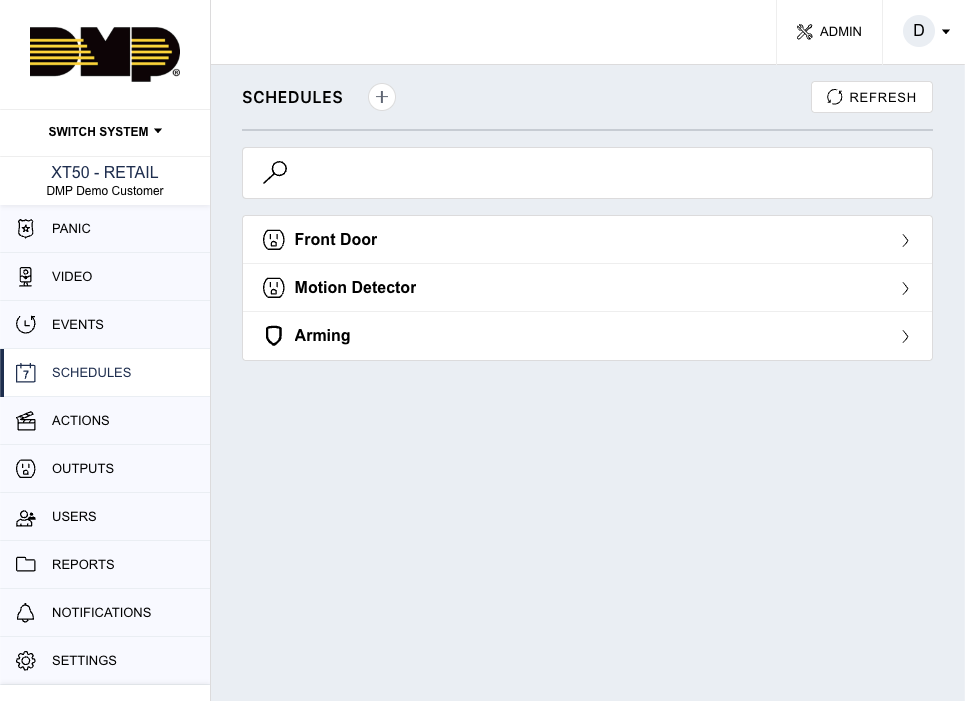
“Schedules allow customers to automate recurring operational tasks without requiring manual interaction.”
Demo Steps
-
Open Schedules.
-
Review existing schedules.
-
Show scheduled arming or disarming.
-
Show scheduled door actions if configured.
-
Review automation scheduling workflows.
Customer Use Cases
-
automatic locking schedules
-
opening and closing routines
-
after-hours lighting
-
perimeter security activation
-
energy management workflows
Customer Value
-
operational consistency
-
reduced manual oversight
-
improved efficiency
-
simplified management
Key Talking Points
-
automated operational workflows
-
consistent daily operations
-
reduced human error
-
simplified scheduling
Actions & Event-Driven Workflows
Presenter Talk Track
“One of the biggest advantages of Virtual Keypad automation is the ability to create event-driven operational responses.”
Demo Steps
-
Open Actions.
-
Review System Actions.
-
Review Custom Actions if configured.
-
Demonstrate event-triggered workflows.
-
Explain connected operational responses.
Examples
-
when system arms, activate lighting
-
when access is denied, trigger recording
-
when alarm occurs, activate deterrence
-
when door unlocks, activate environmental controls
Customer Value
-
connected system response
-
improved operational awareness
-
proactive workflows
-
reduced manual intervention
Key Talking Points
-
event-driven automation
-
operational response
-
connected workflows
-
integrated security operations
Environmental & Building Control
Presenter Talk Track
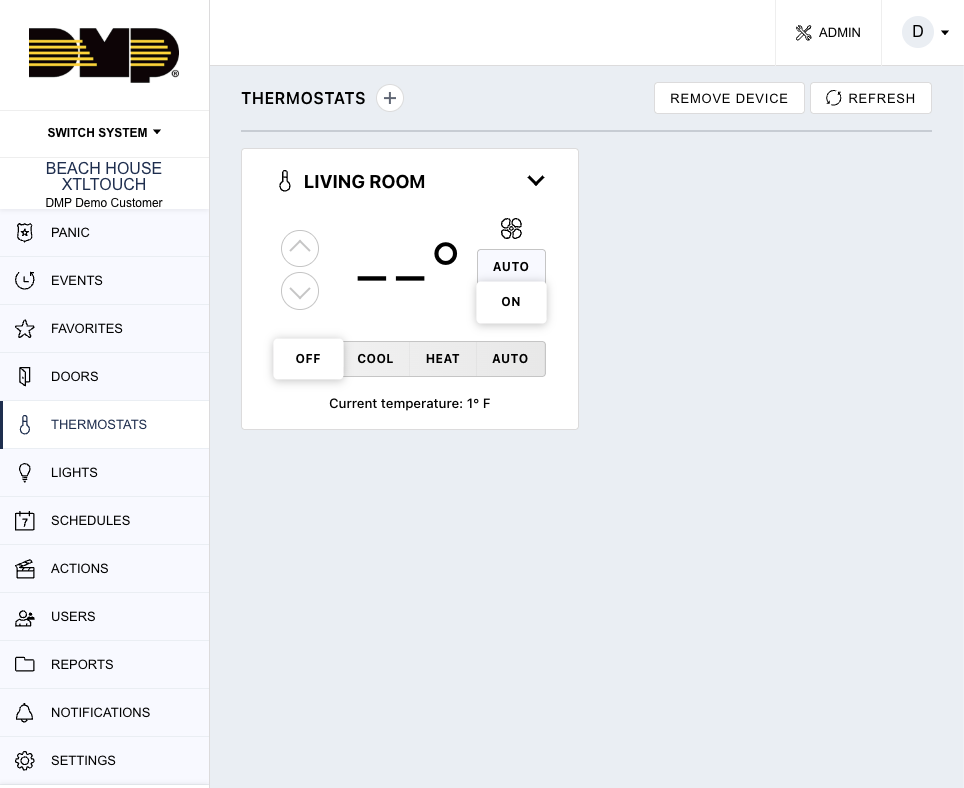
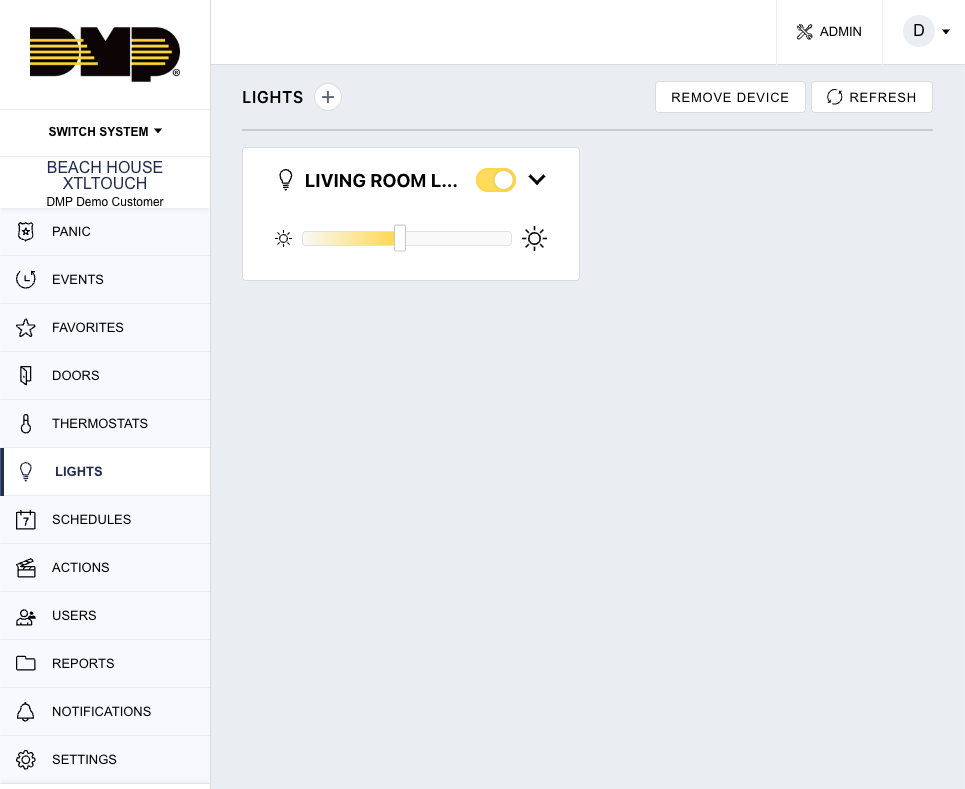
“Automation inside Virtual Keypad can also extend beyond security into broader operational and environmental management workflows.”
Demo Steps
-
Review connected devices if configured.
-
Demonstrate lighting control.
-
Demonstrate thermostat control if available.
-
Review output activation.
-
Explain integrated operational workflows.
Customer Use Cases
-
energy management
-
after-hours shutdown
-
perimeter lighting
-
operational efficiency
-
environmental automation
Customer Value
-
simplified management
-
reduced operational overhead
-
connected building response
-
improved convenience
Automation + Security Workflows
Presenter Talk Track
“One of the biggest differentiators of Virtual Keypad automation is that operational workflows can integrate directly with the broader security environment.”
Automation + Intrusion
-
automated arming workflows
-
alarm-triggered actions
-
deterrence activation
-
scheduled security operations
Automation + Access Control
-
scheduled locking
-
unlock workflows
-
opening and closing procedures
-
occupancy-based automation
Automation + Video
-
triggered recording
-
lighting activation
-
deterrence workflows
-
operational awareness
Automation + Notifications
-
event-triggered alerts
-
escalation workflows
-
operational communication
Operational Automation Workflows
Presenter Talk Track
“For many customers, automation becomes part of their daily operational workflow rather than simply a convenience feature.”
Commercial Examples
-
automatically arm perimeter after hours
-
activate parking lot lighting at closing
-
lock exterior doors during emergencies
-
activate deterrence during alarm events
-
automate opening and closing procedures
High-Security Examples
-
restricted area lockdown workflows
-
layered alarm response
-
scheduled environmental protection
-
controlled operational transitions
Key Automation Themes
The following themes should be consistently reinforced throughout this section and throughout customer conversations:
Operational Efficiency
Automation reduces repetitive manual tasks and improves workflow consistency.
Connected Workflows
Automation integrates with intrusion, access control, video, and notifications.
Simplified Management
Customers can manage operational workflows from a single platform.
Operational Awareness
Systems can respond intelligently to environmental and operational events.
Flexible Deployment
Automation workflows can support:
-
small businesses
-
enterprise organizations
-
high-security facilities
-
multi-site environments
Important Competitive Positioning Guidance
Position As
-
operational automation
-
connected workflows
-
integrated response
-
simplified operations
-
intelligent event handling
Avoid Positioning As
-
full smart building replacement
-
enterprise building management system
-
autonomous AI building control
-
industrial process automation platform
Key Message
Virtual Keypad transforms automation into a connected operational workflow that combines security, awareness, scheduling, environmental control, and event-driven response from a single unified platform.