
This section demonstrates how Virtual Keypad helps customers maintain operational awareness, receive meaningful event notifications, and access system activity reporting from a unified platform.
The goal is not simply to send alerts or generate reports.
The goal is to provide customers with actionable information, operational visibility, and connected event awareness that helps them make informed decisions and respond quickly to important activity.
Notifications and reporting inside Virtual Keypad help transform system activity into operational intelligence.
Notifications & Reporting Overview
Notifications and Reports inside Virtual Keypad focus on:
-
operational awareness
-
event visibility
-
actionable alerts
-
activity reporting
-
operational accountability
-
system transparency
-
connected response workflows
Rather than requiring customers to constantly monitor their environment manually, Virtual Keypad helps ensure the right people receive the right information at the right time.
Presenter Talk Track
“Notifications and reporting inside Virtual Keypad help customers stay connected to their environment even when they are not actively logged into the platform.
Customers can:
-
receive alerts for important activity
-
review operational history
-
generate reports
-
investigate events
-
monitor access activity
-
and maintain visibility across multiple systems
from a single application.
The value is not simply receiving alerts.
The value is operational awareness and actionable information that helps customers respond quickly and make informed decisions.”
Core Notifications & Reporting Experience
This section introduces the foundational notification and reporting workflows available in Virtual Keypad.
The progression should move through:
-
notifications
-
event awareness
-
operational alerts
-
activity review
-
reporting workflows
-
investigations
-
operational accountability
before expanding into integrated workflows across intrusion, access control, video, automation, and enterprise operations.
Notifications
Presenter Talk Track
“Virtual Keypad allows customers to receive notifications for important system activity even when they are away from the property or not actively logged into the system.”
Demo Steps
-
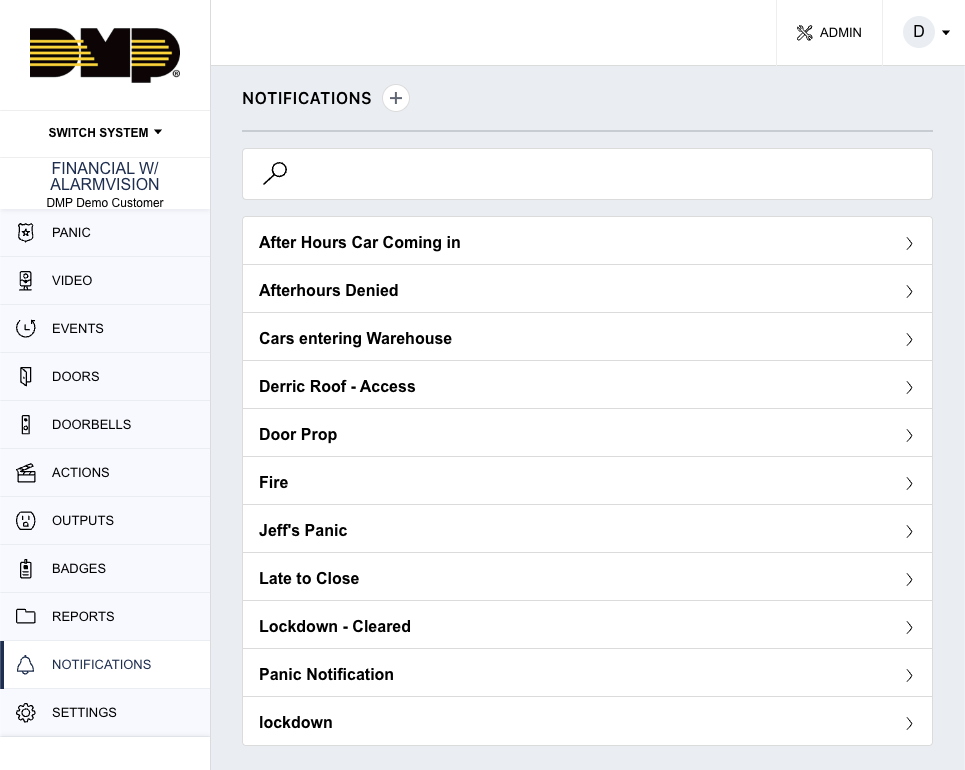
Open Notifications.
-
Review existing notification configurations.
-
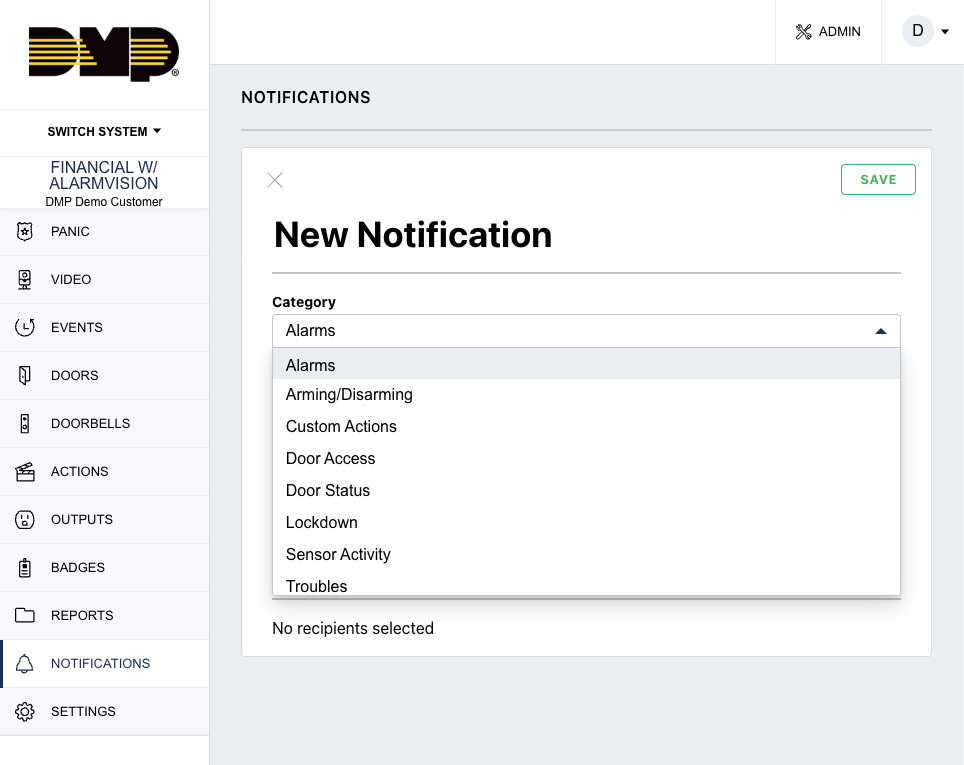
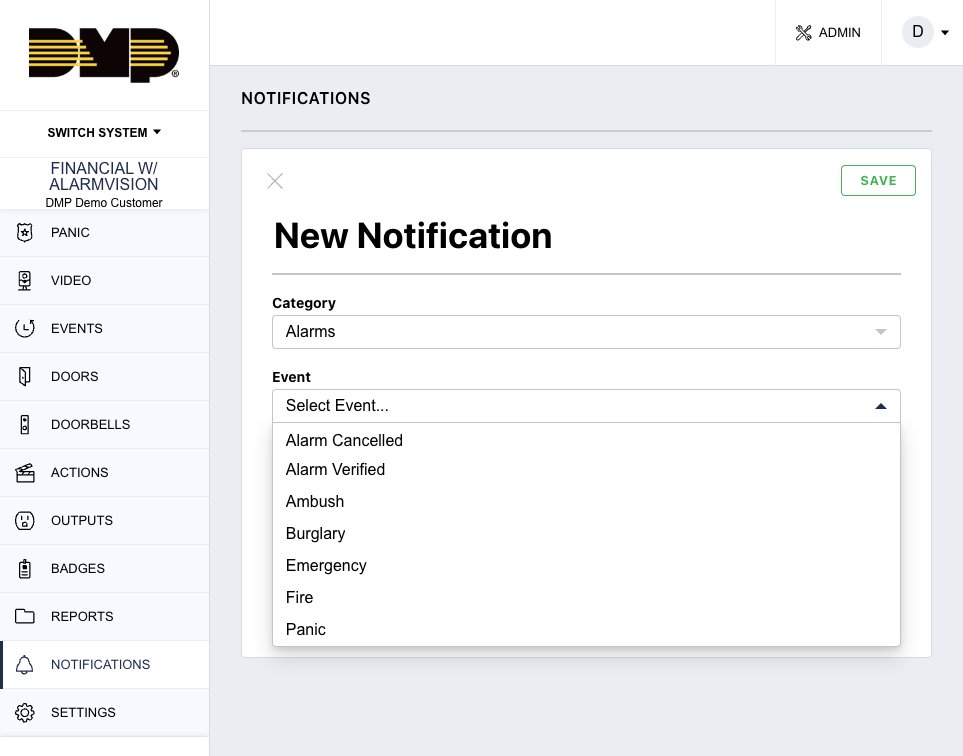
Show available event categories.
-
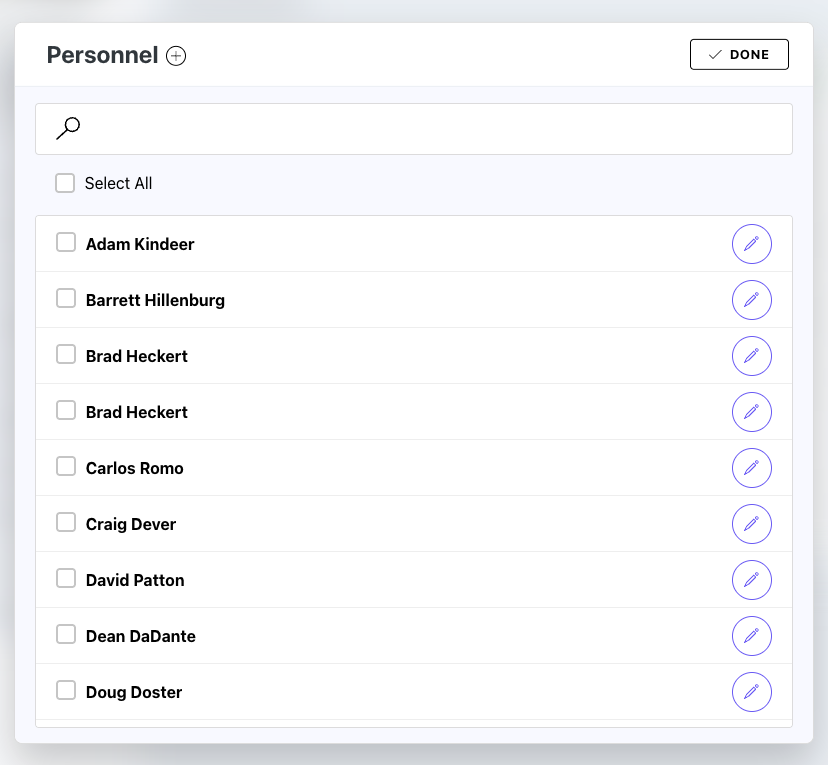
Review notification recipients.
-
Explain available notification methods if configured.
Examples
-
alarms
-
arming activity
-
disarming activity
-
access granted
-
access denied
-
doors held open
-
troubles
-
bypass activity
-
video events
-
automation activity
Customer Value
-
operational awareness
-
remote visibility
-
faster response
-
improved communication
Key Talking Points
-
actionable alerts
-
event awareness
-
operational visibility
-
connected workflows
Event Awareness & Escalation
Presenter Talk Track
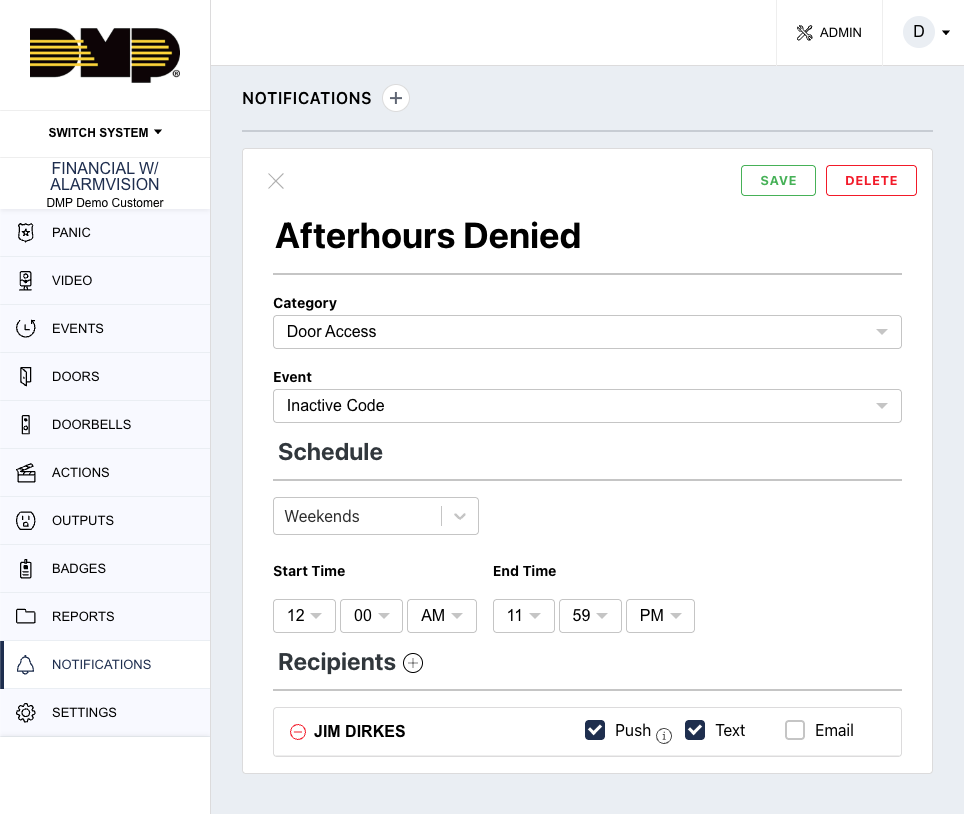
“One of the advantages of Virtual Keypad is that notifications can become part of broader operational response workflows.”
Demo Steps
-
Review event-triggered notifications.
-
Explain escalation workflows if configured.
-
Demonstrate notification-driven response workflows.
-
Discuss operational communication scenarios.
Customer Use Cases
-
after-hours alarms
-
unauthorized access attempts
-
operational exceptions
-
emergency notifications
-
security escalation workflows
Customer Value
-
informed decision making
-
faster operational response
-
improved awareness
-
simplified communication
Reports
Presenter Talk Track
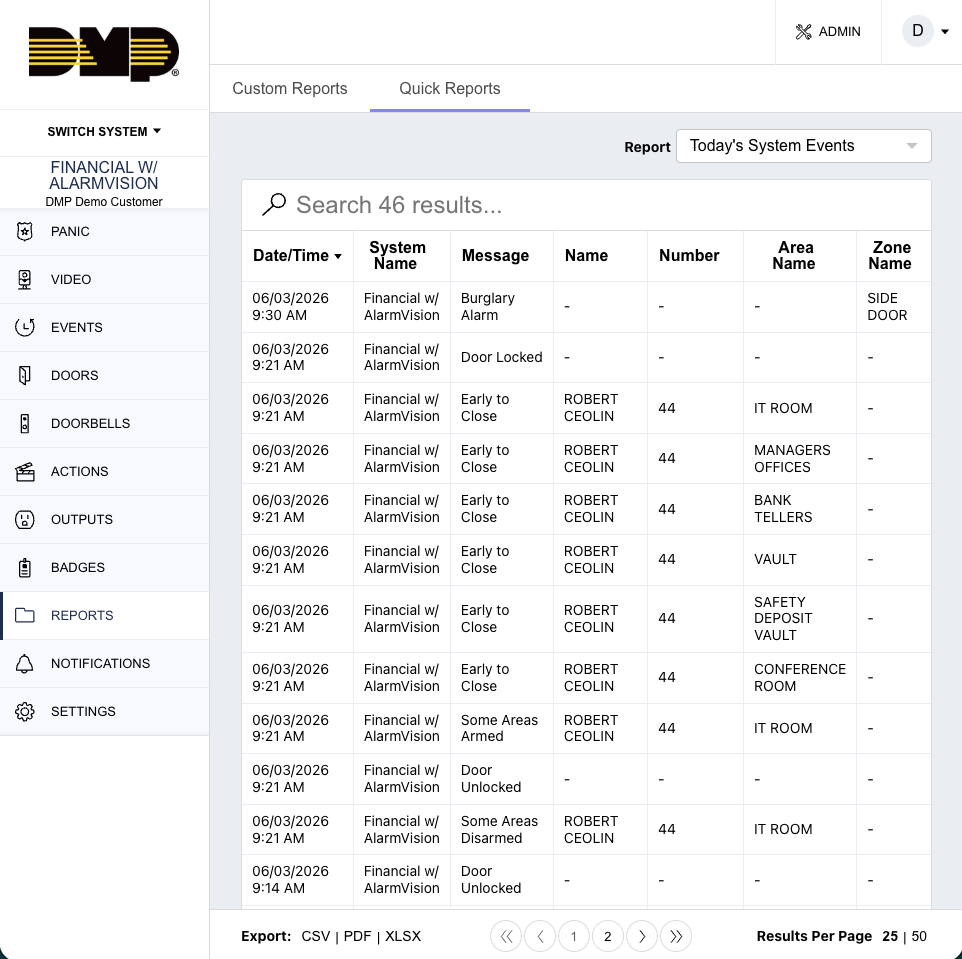
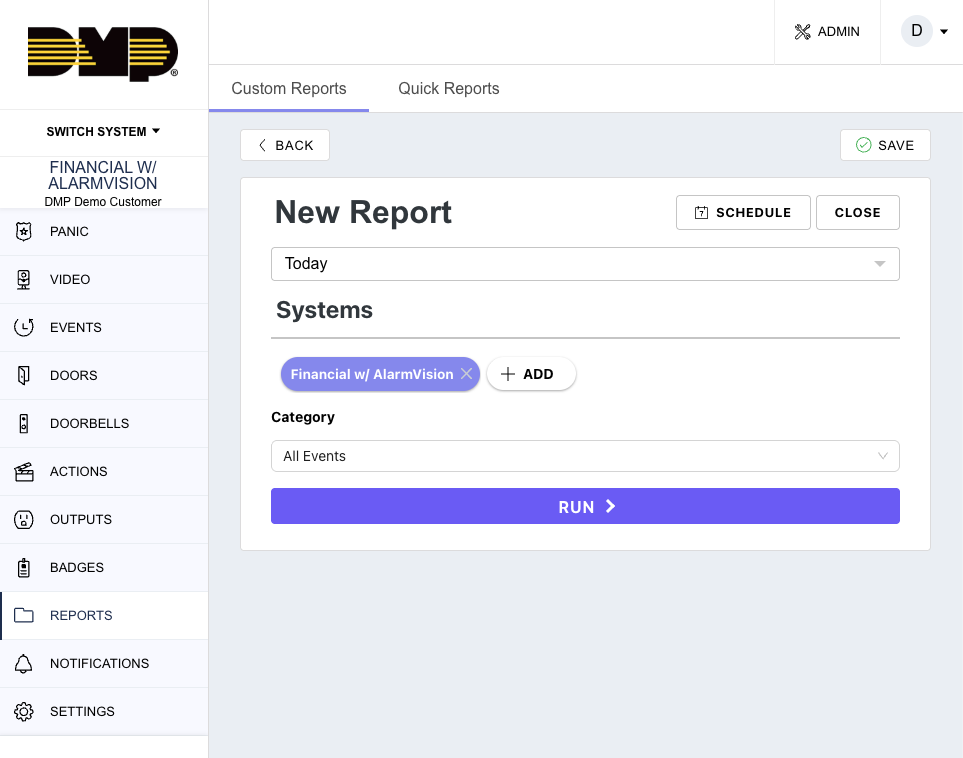
“Reports allow customers to transform system activity into useful operational information.”
Demo Steps
-
Open Reports.
-
Review Quick Reports.
-
Review Custom Reports if configured.
-
Demonstrate report filtering.
-
Review export or scheduling options if available.
Report Examples
-
alarm history
-
access activity
-
user activity
-
arming and disarming history
-
door activity
-
event summaries
-
operational audits
Customer Value
-
operational accountability
-
simplified investigations
-
compliance support
-
centralized visibility
Key Talking Points
-
searchable system activity
-
operational transparency
-
investigation support
-
activity reporting
Investigations & Operational Review
Presenter Talk Track
“Virtual Keypad helps customers quickly review operational activity and investigate important events from a centralized platform.”
Demo Steps
-
Open Events or Reports.
-
Filter by event type.
-
Review specific operational activity.
-
Demonstrate event investigation workflows.
-
Open related workflows if configured.
Customer Use Cases
-
reviewing access activity
-
alarm investigations
-
employee accountability
-
operational audits
-
incident review
Customer Value
-
faster investigations
-
improved visibility
-
operational accountability
-
simplified reporting
Notifications + Security Workflows
Presenter Talk Track
“One of the biggest differentiators of Virtual Keypad is that notifications and reporting operate as part of a connected operational platform.”
Notifications + Intrusion
-
alarm alerts
-
area activity notifications
-
operational escalation
-
alarm awareness
Notifications + Access Control
-
access granted notifications
-
denied access alerts
-
door held open activity
-
credential awareness
Notifications + Video
-
analytic alerts
-
event-linked clips
-
operational verification
-
video awareness
Notifications + Automation
-
event-triggered alerts
-
automated operational communication
-
escalation workflows
Reporting + Enterprise Operations
Presenter Talk Track
“For enterprise and multi-site customers, reporting becomes an important operational management tool.”
Commercial Examples
-
opening and closing audits
-
access activity review
-
operational compliance
-
employee accountability
Enterprise Examples
-
centralized reporting
-
multi-site visibility
-
operational standardization
-
distributed activity review
High-Security Examples
-
restricted area audits
-
credential investigations
-
alarm activity analysis
-
operational oversight
Key Notifications & Reporting Themes
The following themes should be consistently reinforced throughout this section and throughout customer conversations:
Operational Awareness
Customers remain informed about important system activity and operational events.
Actionable Information
Notifications and reports provide meaningful event visibility rather than overwhelming users with unnecessary information.
Operational Accountability
Customers can review and understand who performed actions and when activity occurred.
Simplified Investigations
Customers can quickly locate and review important operational activity.
Unified Workflows
Notifications and reporting integrate with intrusion, access control, video, and automation workflows.
Important Competitive Positioning Guidance
Position As
-
operational awareness
-
actionable notifications
-
centralized reporting
-
simplified investigations
-
operational accountability
-
connected workflows
Avoid Positioning As
-
enterprise SIEM replacement
-
advanced business intelligence platform
-
enterprise analytics engine
-
autonomous operational monitoring platform
Key Message
Virtual Keypad transforms notifications and reporting into connected operational workflows that provide awareness, visibility, accountability, and actionable information from a single unified platform.